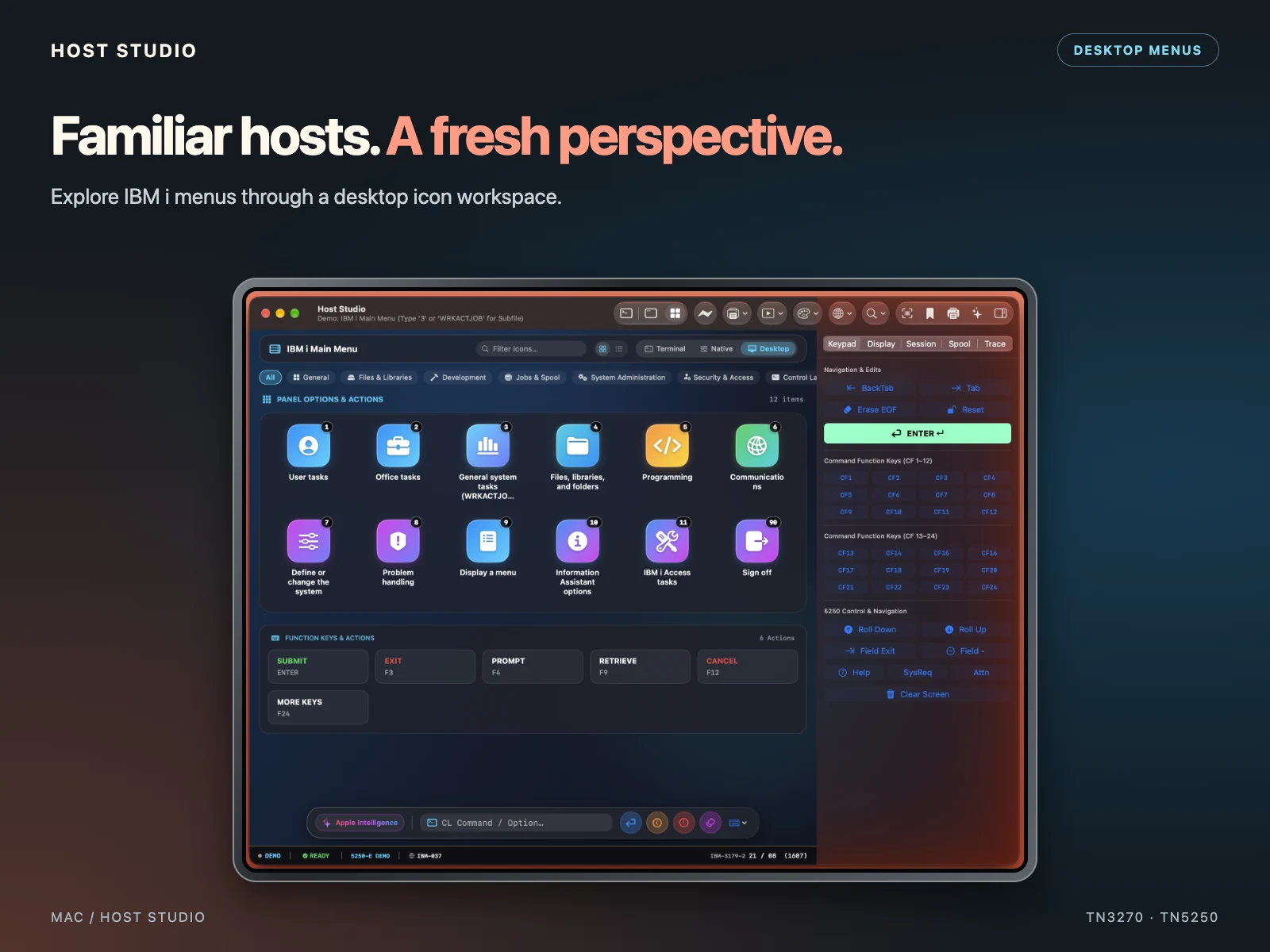
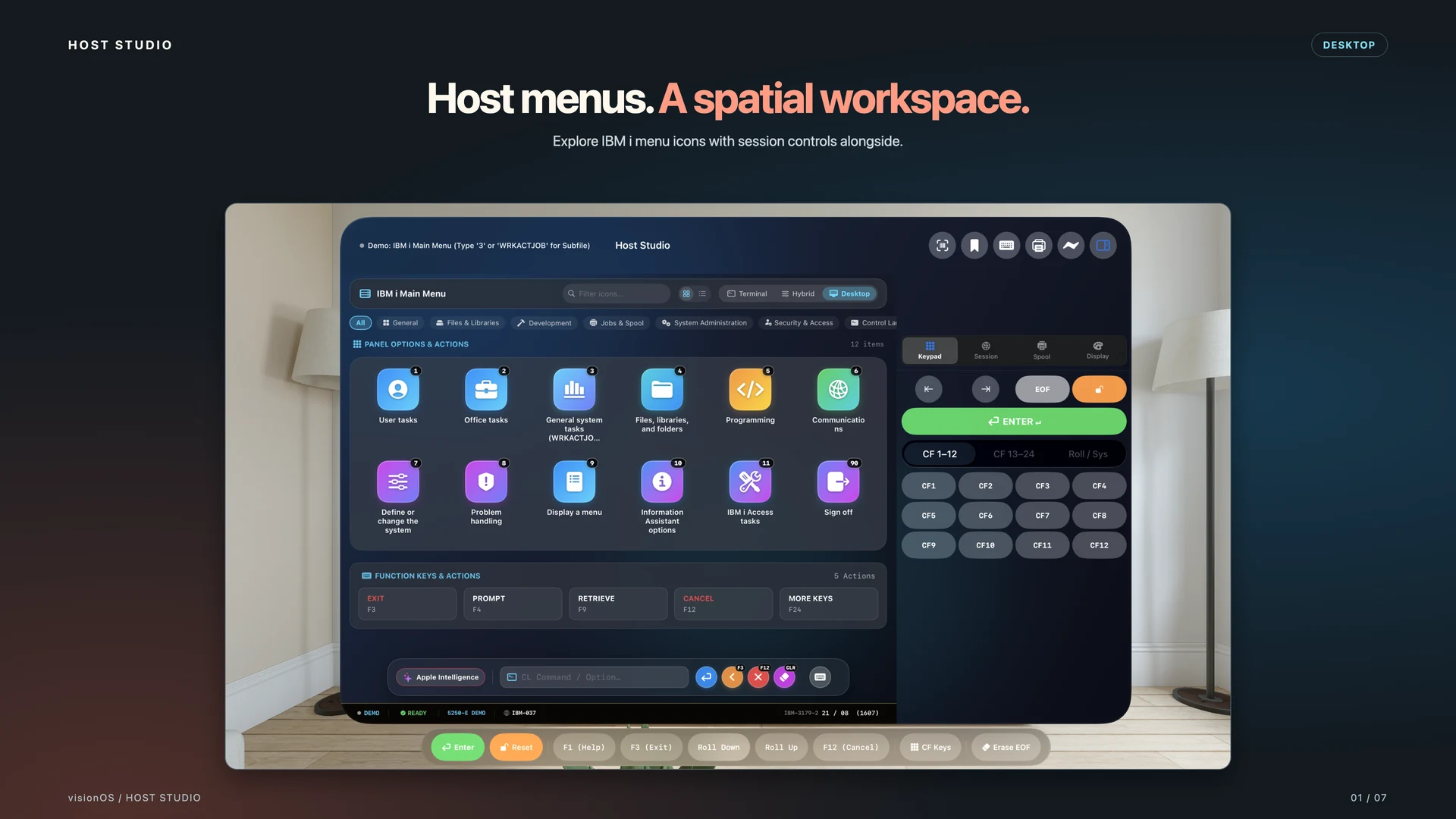
Menus become a workspace
Find your way with labeled icons, menu categories, and filtering.
 Host Studio
TN3270 / TN3270E SNA / TN5250 / TN5250E SNA
3270 + 5250 / NATIVE TERMINALS FOR APPLE
Meet Host Studio. Native 3270 and 5250 terminal emulation, host printing, and a modernization workbench for IBM mainframes and IBM i systems, built for Mac, iPhone, iPad, and Apple Vision Pro.

FEATURE HIGHLIGHT / DESKTOP WORKSPACE
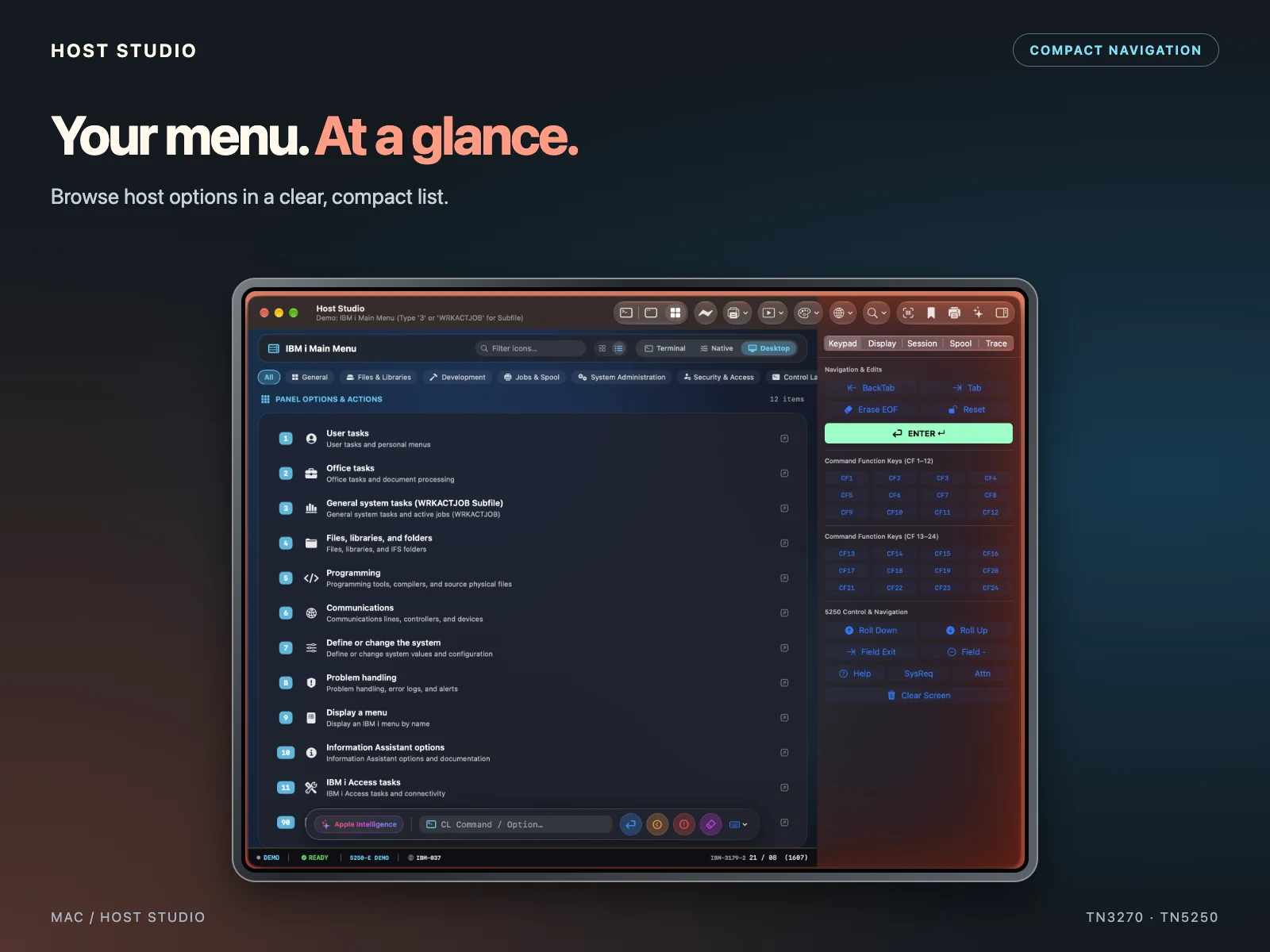
A Desktop-style presentation for IBM mainframe and IBM i sessions. Explore host menus as icons, use compact lists, and work with native forms and command inputs alongside familiar terminal controls.
Find your way with labeled icons, menu categories, and filtering.
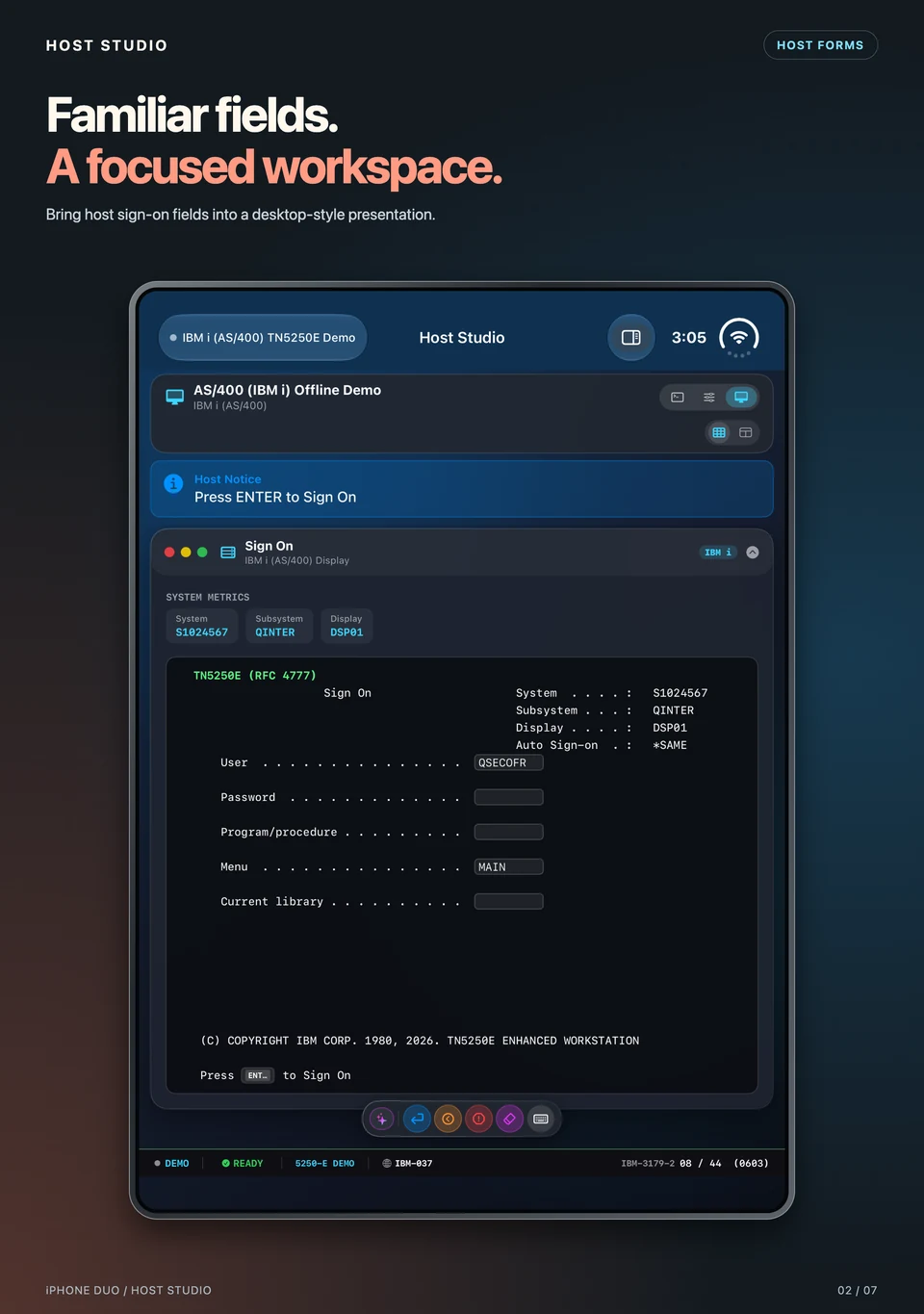
Use native input fields and contextual actions for recognized host forms.
Switch between Terminal, Native UI, and Desktop to suit the screen and your workflow.
YOUR HOST. YOUR DEVICE.
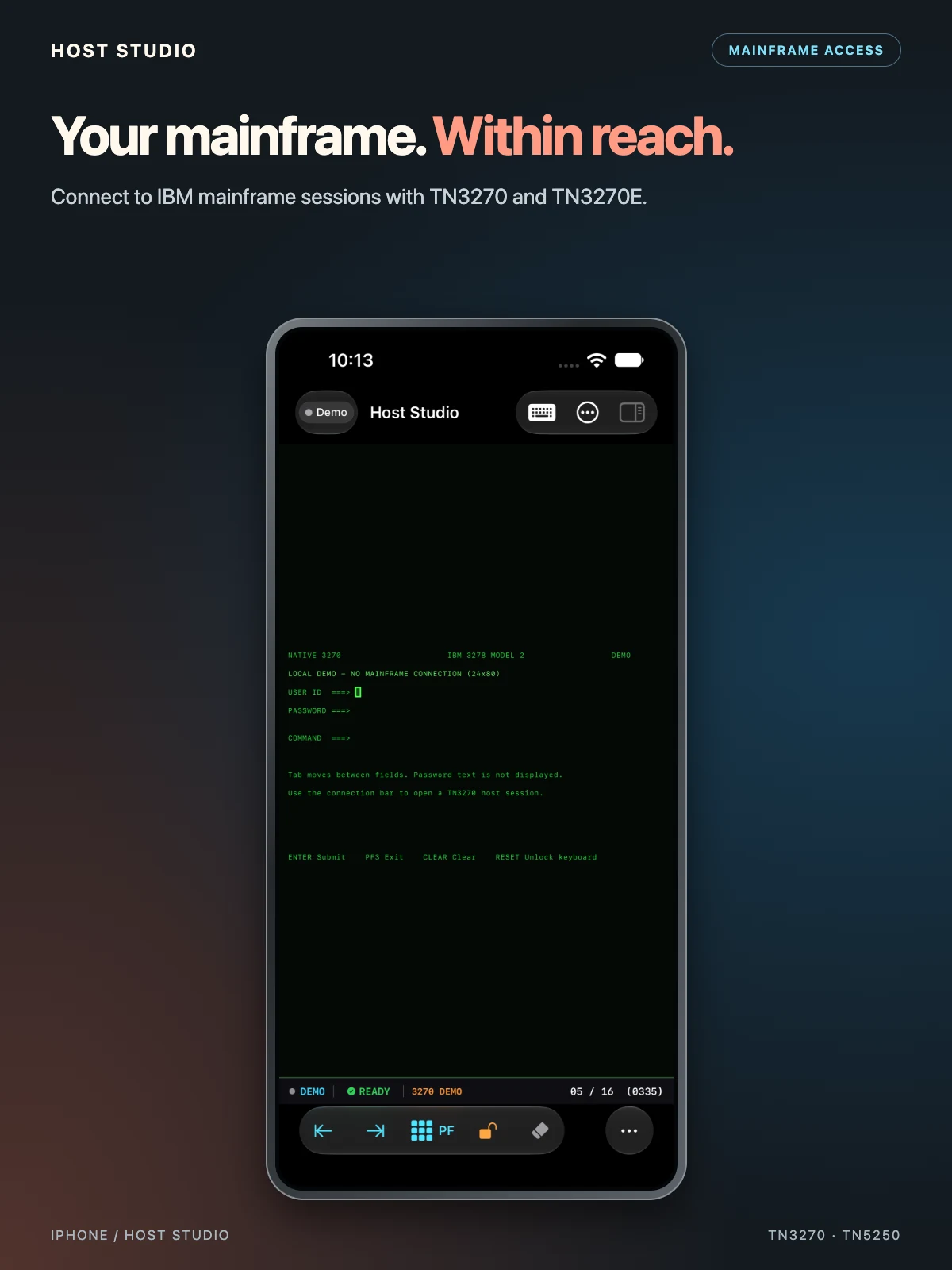
Bring your 3270 and 5250 sessions, file transfers, and host printing tools to iPhone and iPad, with native controls that fit your device.
Explore Host Studio on iPhone ↗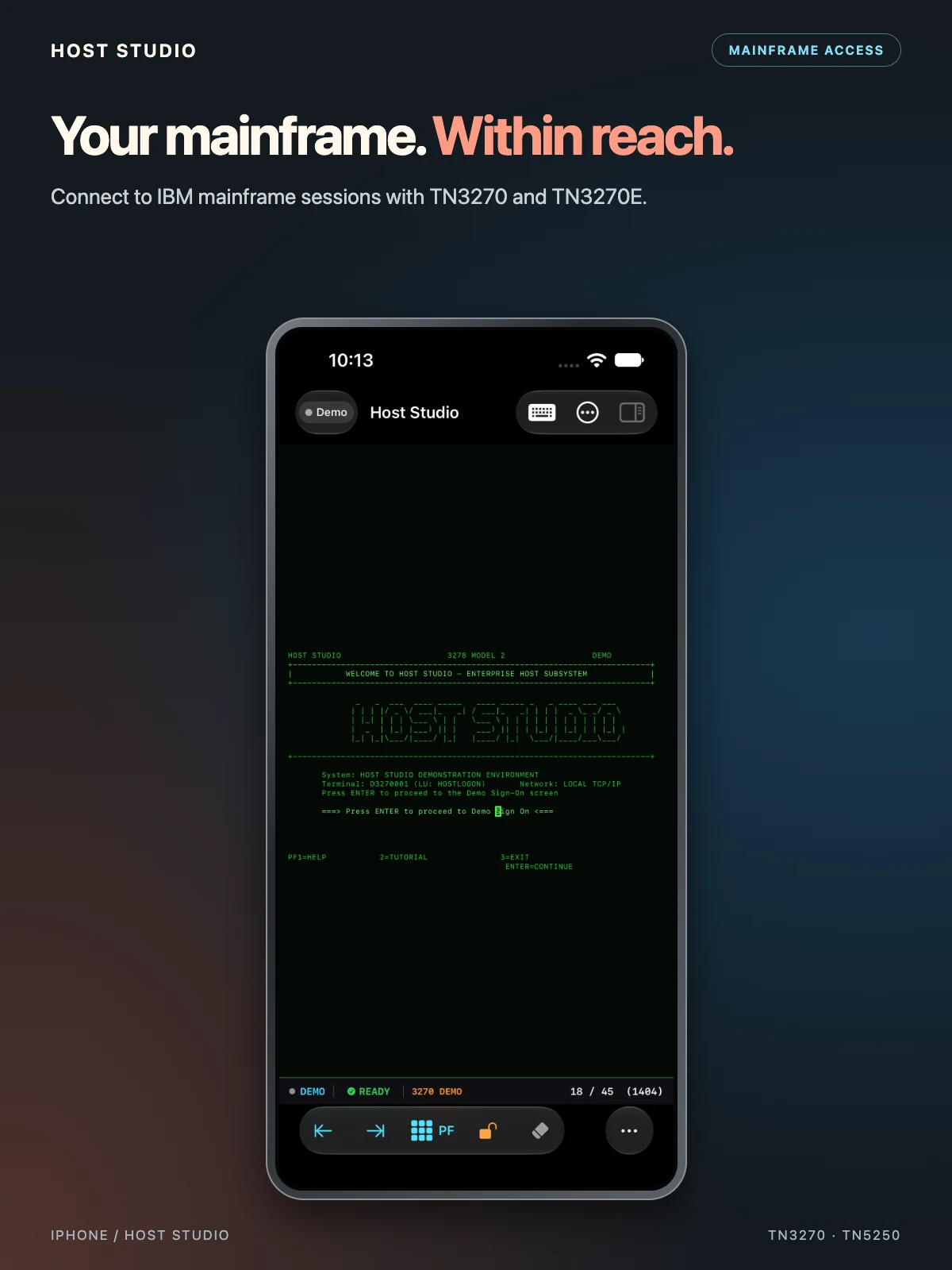
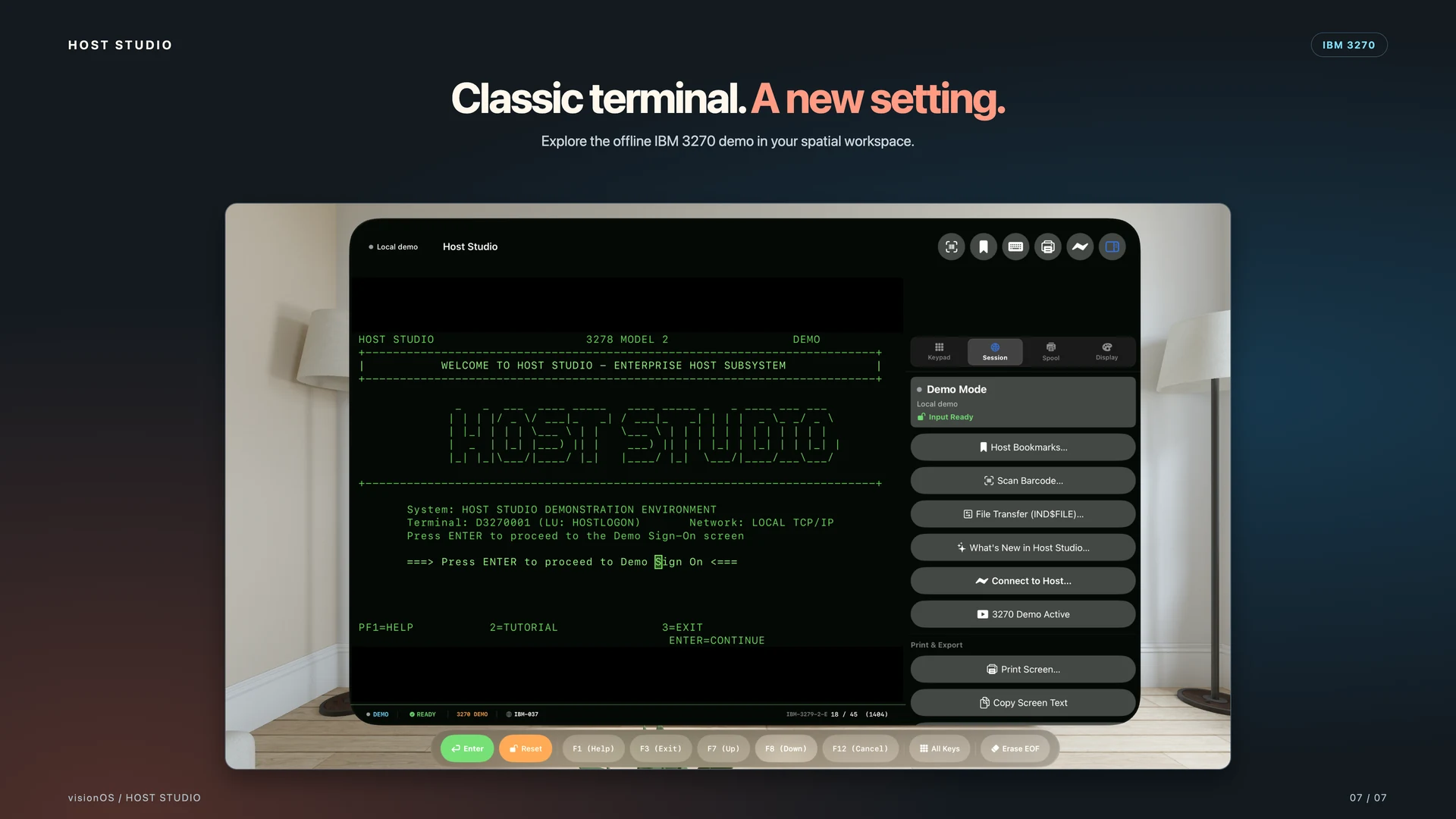
Bring your host workspace into view. Explore desktop menus and the IBM 3270 terminal on Apple Vision Pro.
HOST STUDIO / iPHONE DUO
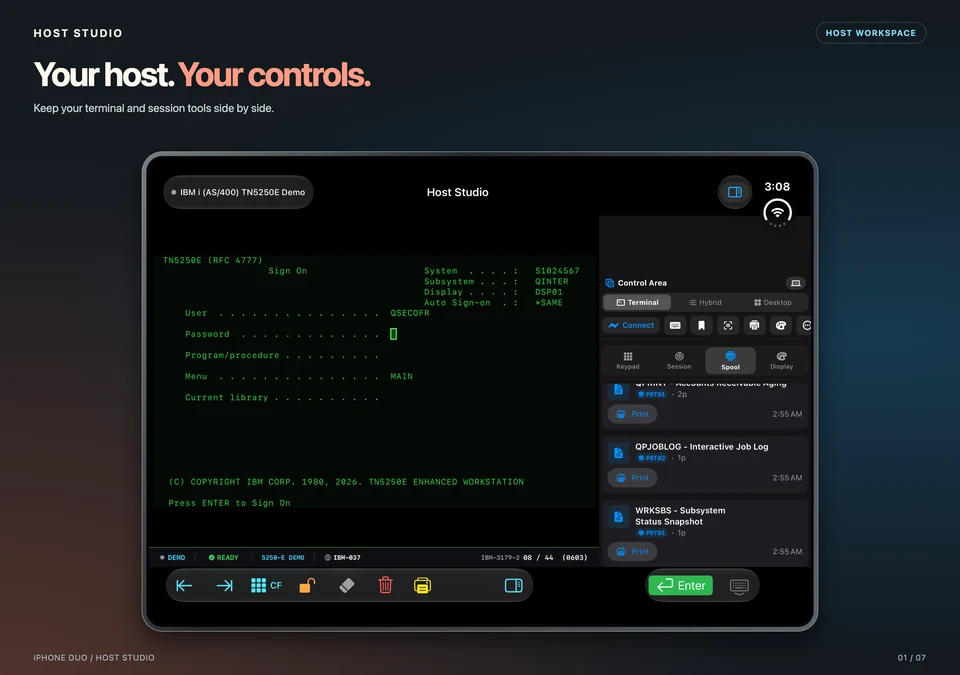
Work with host menus, forms, and sign-on screens on iPhone Duo. Switch between Terminal, Native UI, and Desktop presentations to suit your workflow.
FEATURE HIGHLIGHT / 3270 + 5250
Follow your 3270 and 5250 subsessions, reach system controls, and inspect host diagnostics across Mac, iPhone, iPad, and Apple Vision Pro.
RFC 2355 TN3270E SNA and RFC 1205 / RFC 4777 IBM i 5250 GDS support covers VTAM logon, application binding, acknowledgments, and error recovery.
Clearly labeled System Request and Attention keys on every platform let you toggle 3270 subsessions, send an interrupt, or use 5250 GDS controls.
Live OIA badges show 4A (SSCP-LU), 4B <PLU>, and 5B <System>. X SNS <hex> diagnostics and Stream Trace decoding help you investigate host errors.
HOST POWER. NATIVE COMFORT.
01
Deploy corporate host profiles with Jamf Pro, Microsoft Intune, VMware Workspace ONE, or MobileIron. Set default hosts and ports, enforce TLS policies, restrict dataset and PDF exports, and lock deployed profiles against user changes.
Explore MDM setup ↗02
Require Face ID, Touch ID, Optic ID, or device passcode authentication before connecting to sensitive host sessions.
03
Securely synchronize host credentials across your Apple devices through encrypted iCloud Keychain, without exposing plaintext credentials.
04
Host bookmarks are automatically indexed in macOS and iOS system search. Launch a saved host directly from Spotlight.
05
Use App Shortcuts for hands-free terminal actions, including “Connect to mainframe in Host Studio”.
06
Share host profiles via AirDrop or JSON with credentials automatically removed. Personal backup and restore are also supported.
07
English, German, Spanish, French, Italian, Japanese, Korean, Portuguese, Simplified Chinese, and Traditional Chinese.
08
Connect to z/OS, z/VM, z/VSE, and IBM i (AS/400). TN3270E supports RFC 2355 negotiation, LU pooling, and screen models 2–5. Host Studio supports TN5250 and TN5250E, including RFC 4777 enhancements, auto bypass sign-on, and associated printer binding. TN5250 supports RFC 1205, 24×80 and 27×132 displays, Workstation IDs, and System Request.
09
Switch from CRT rendering to a SwiftUI interface in a tap. Subsystem-aware parsing recognizes CICS, TSO/ISPF, IMS, and z/VSE, turning screen fields into labeled inputs, output cards, a command bar, and contextual PF/PA actions.
Dedicated Native and Hybrid presentations offer spaced pill controls for switching between CRT grid alignment and card components.
10
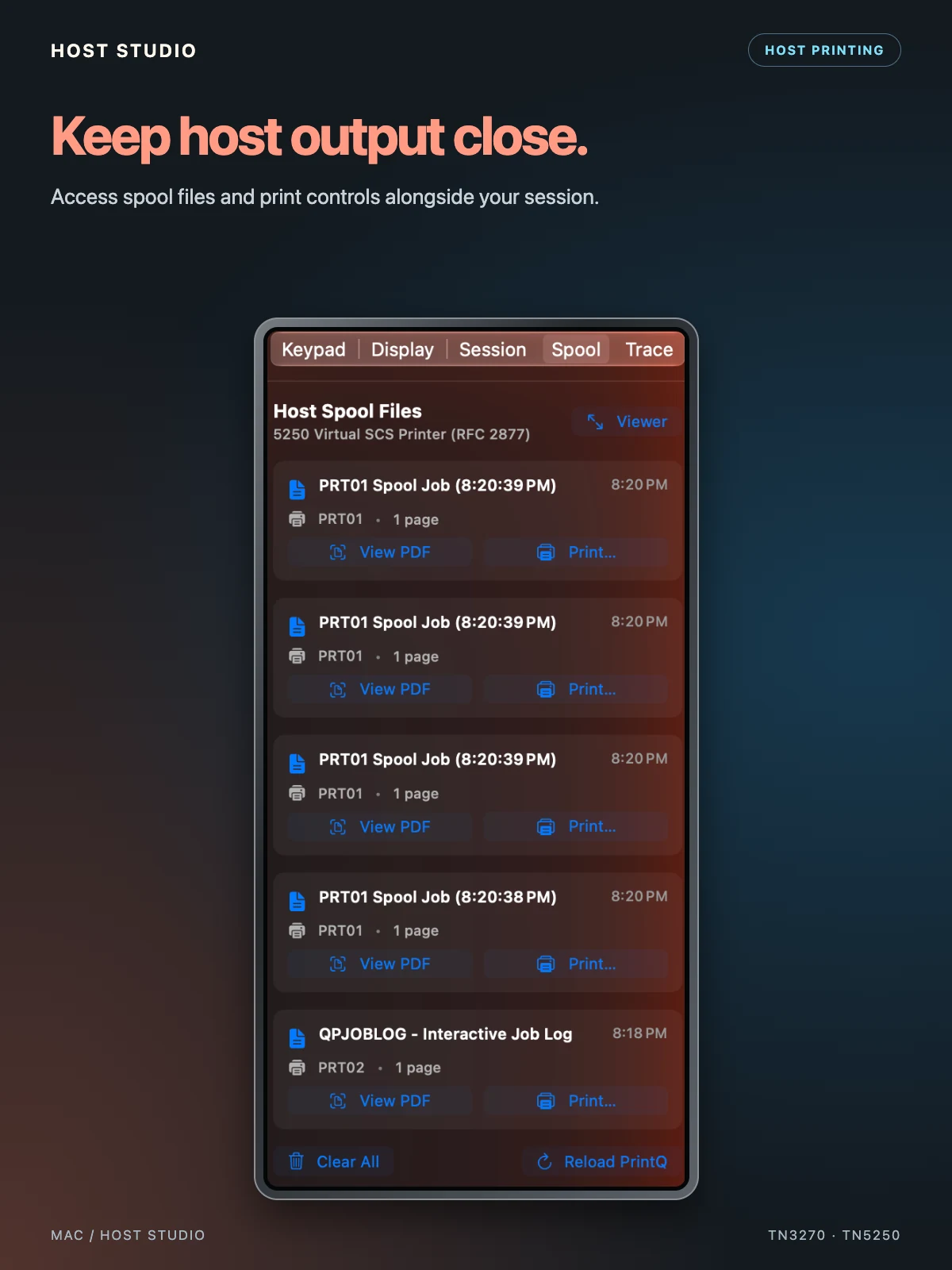
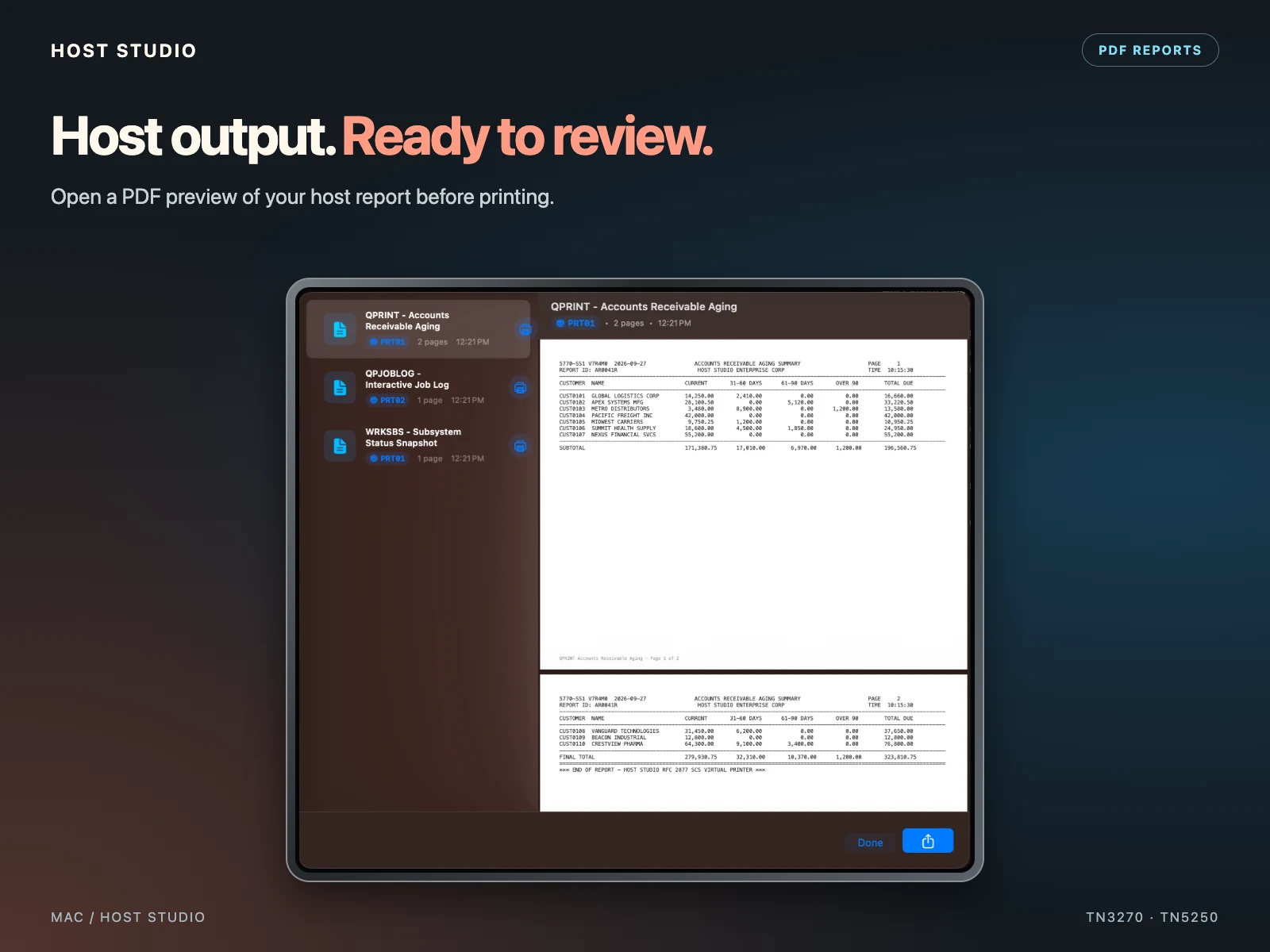
A virtual 5250 companion printer captures SCS spool data using RFC 2877. Turn reports into paginated vector PDFs, then browse the print queue with printer IDs, page counts, and timestamps. Open, export, share, or print reports with AirPrint or macOS CUPS.
Live sessions preserve authentic host printer queues such as PRT01 and PRT02. Offline demo spool jobs are cleared when a connection is established or a demo ends.
11
Transfer mainframe datasets with TSO/E, VM/CMS, and CICS. Use Structured Field or CUT modes, Fixed, Variable, or Undefined records, configurable LRECL and BLKSIZE, and ASCII, EBCDIC, or binary transfer modes.
3270-specific dataset transfer controls are hidden during IBM i (5250) sessions.
12
DuoPosture and Tabletop Console support split layouts, dual screens, and external displays. The Cyberdeck Console puts PF banks, a navigation D-pad, and quick host commands into a dedicated control view.
13
Tap screen hotspots to activate commands and menus. Automate logon sequences with WAIT, SEND, ENTER, TAB, DELAY, and PF keys. Scan barcodes, QR codes, and hardware serial numbers directly into active mainframe or IBM i input fields using a device camera.
14
VoiceOver labels, full keyboard access, high-contrast themes, and two-dimensional pinch-to-zoom help you work your way. Cursor tracking keeps active input in view.
15
Use TLS 1.3 with internal certificate authorities and private self-signed certificates. Private CloudKit sync keeps bookmarks, geometry, and themes in step across your Apple devices.
IBM i DATA TRANSFER STUDIO
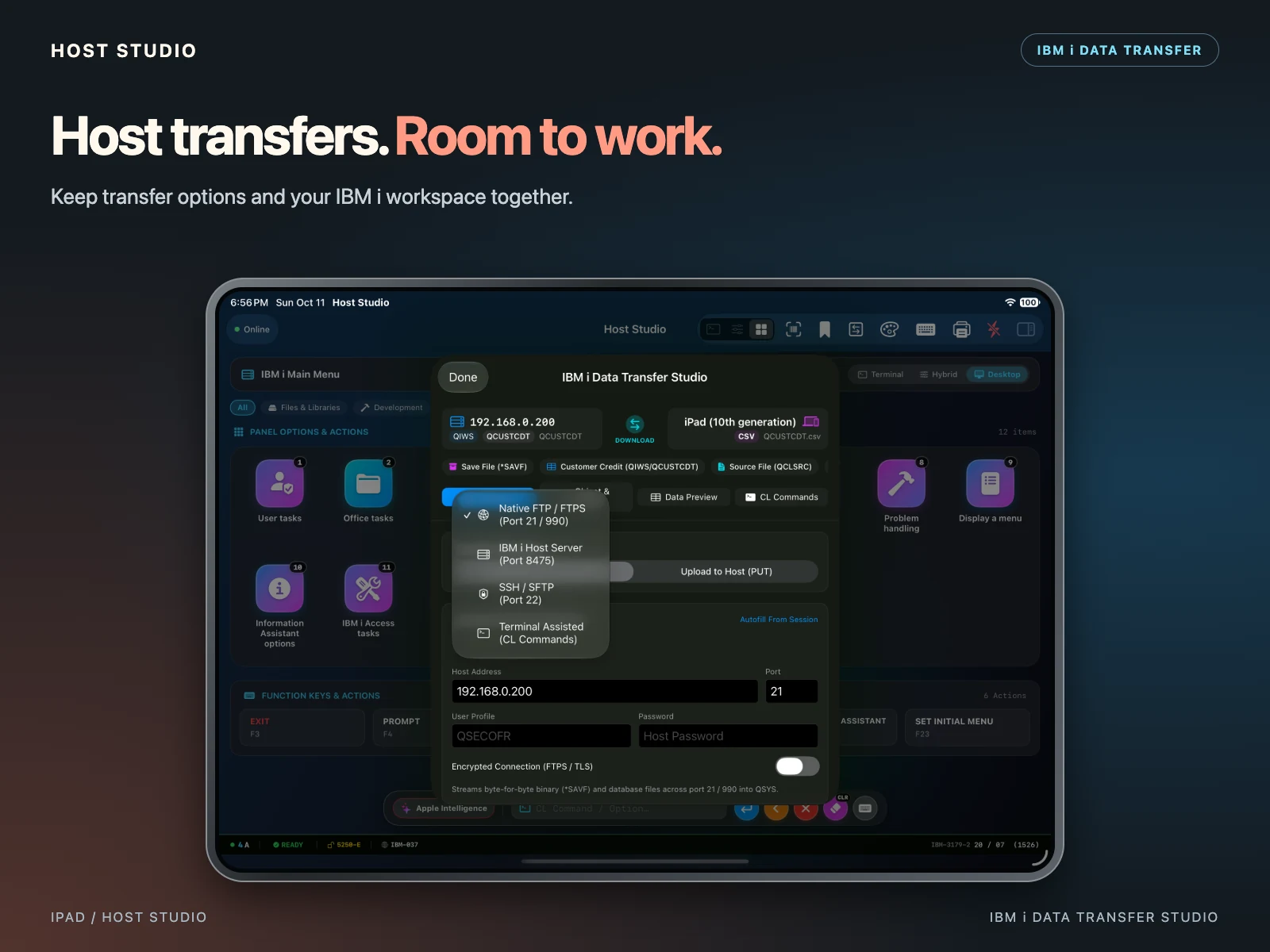
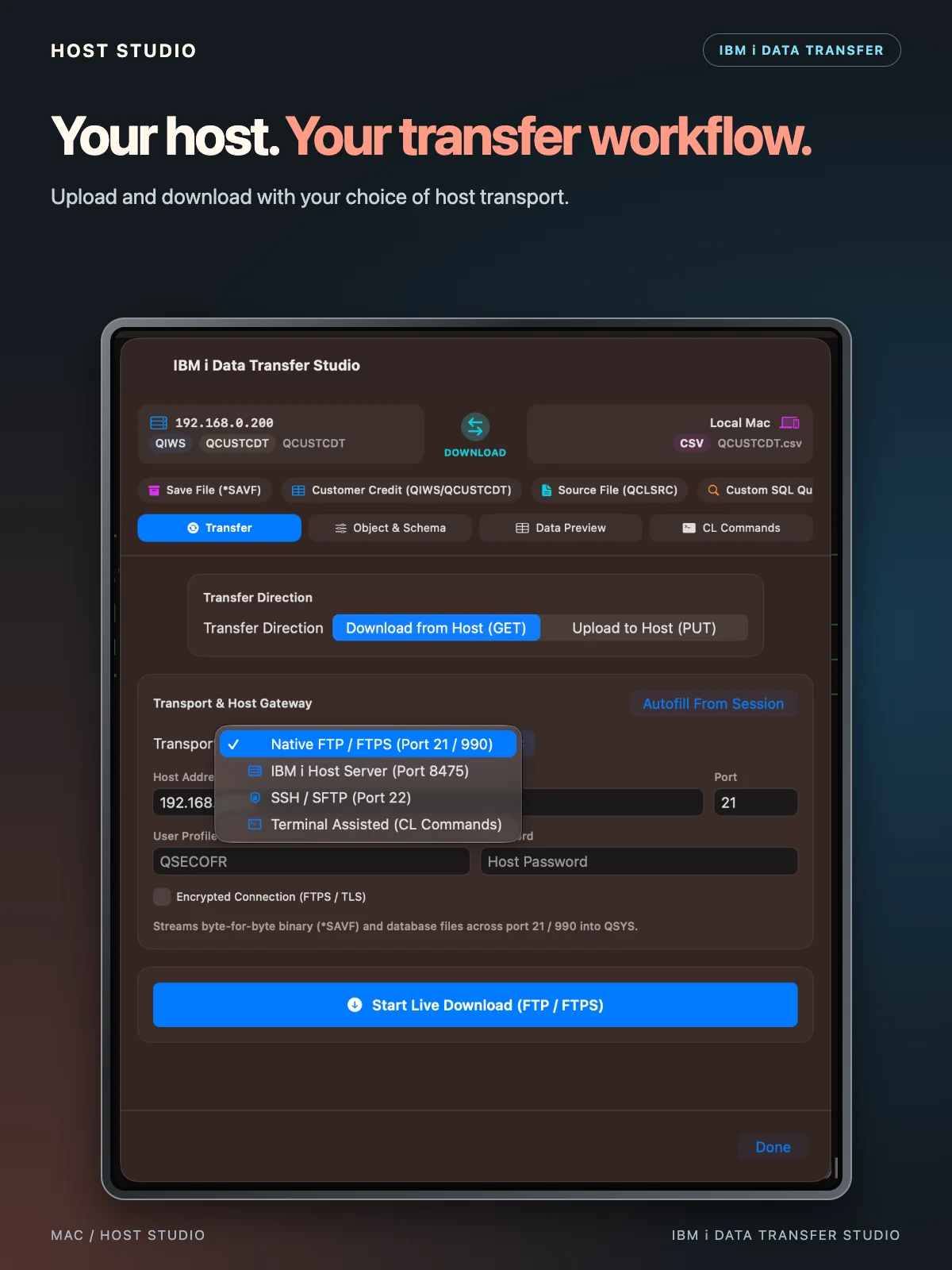
Choose FTP / FTPS, SSH / SFTP, IBM i Host Server, or terminal-assisted CL commands. Upload and download files, database members, and save files from your Apple device.
5250 / SCS / PDF
Capture IBM i SCS output with the virtual 5250 printer. Browse captured jobs in the Spool tab, check printer IDs, page counts, and timestamps, then open vector PDF reports to share or print.
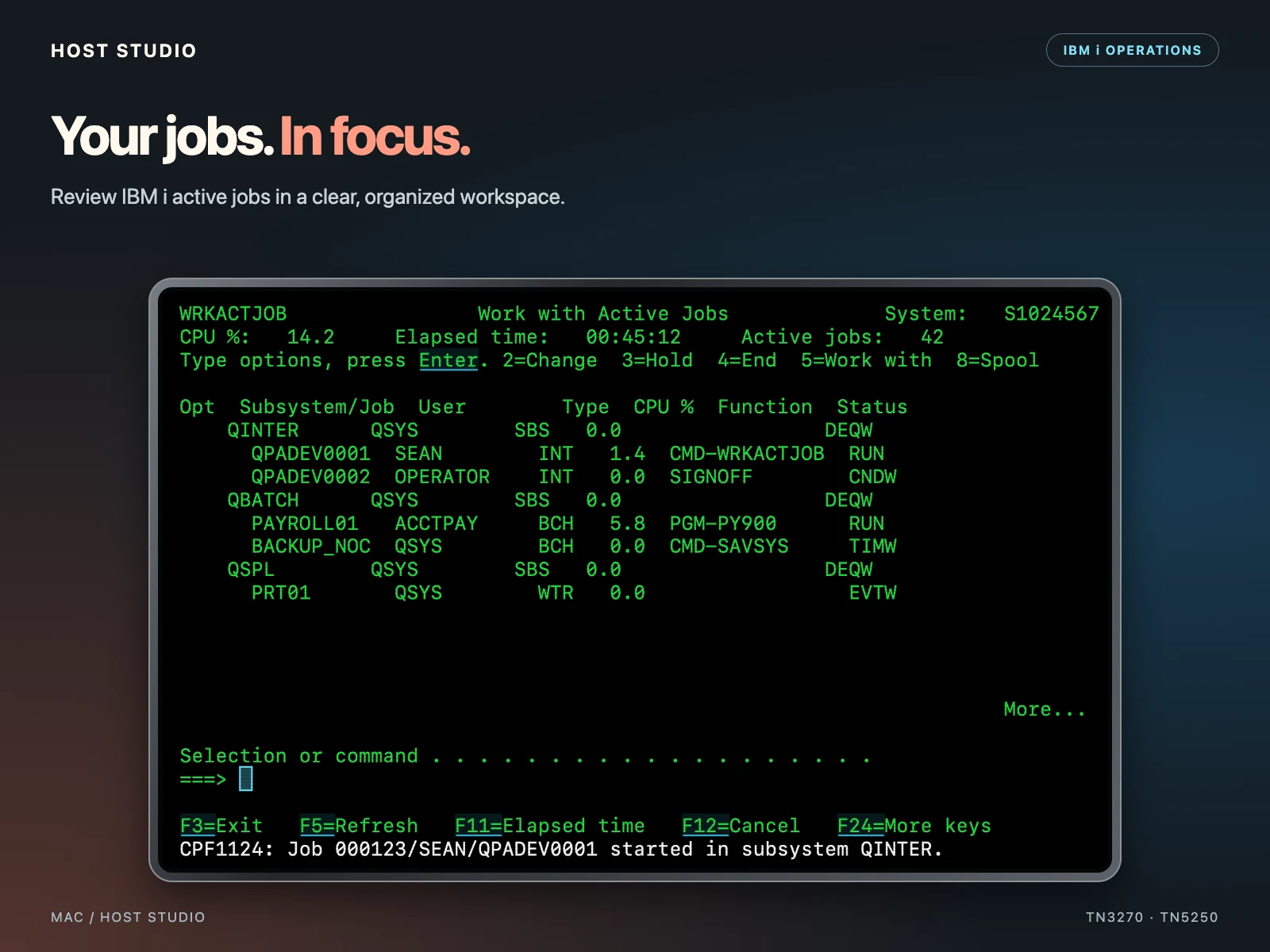
Explore subfiles and WRKACTJOB job grids. Native mode turns dotted prompts into readable forms.
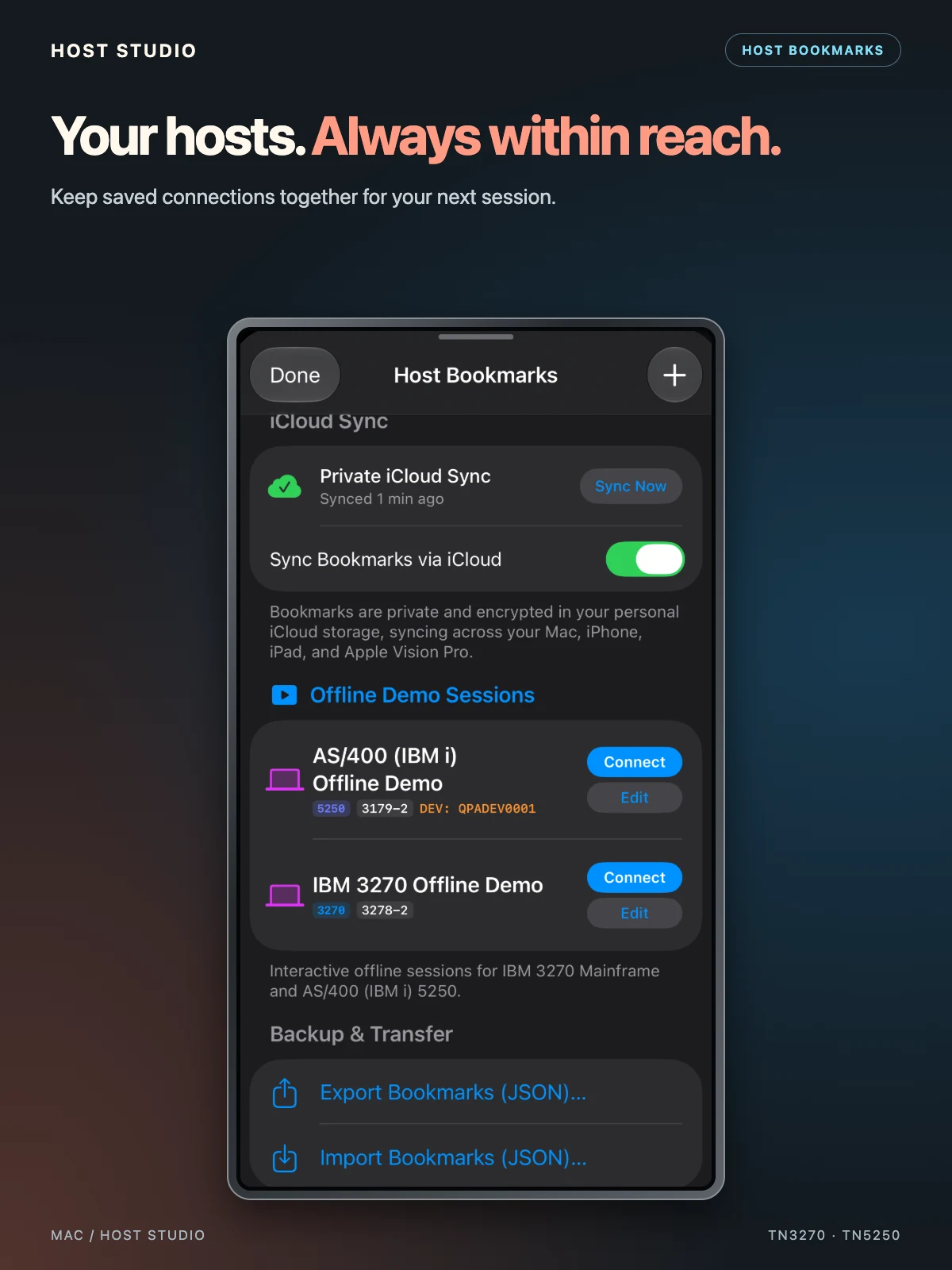
Sync host bookmarks with iCloud and launch offline 3270 and IBM i demos from the same panel.
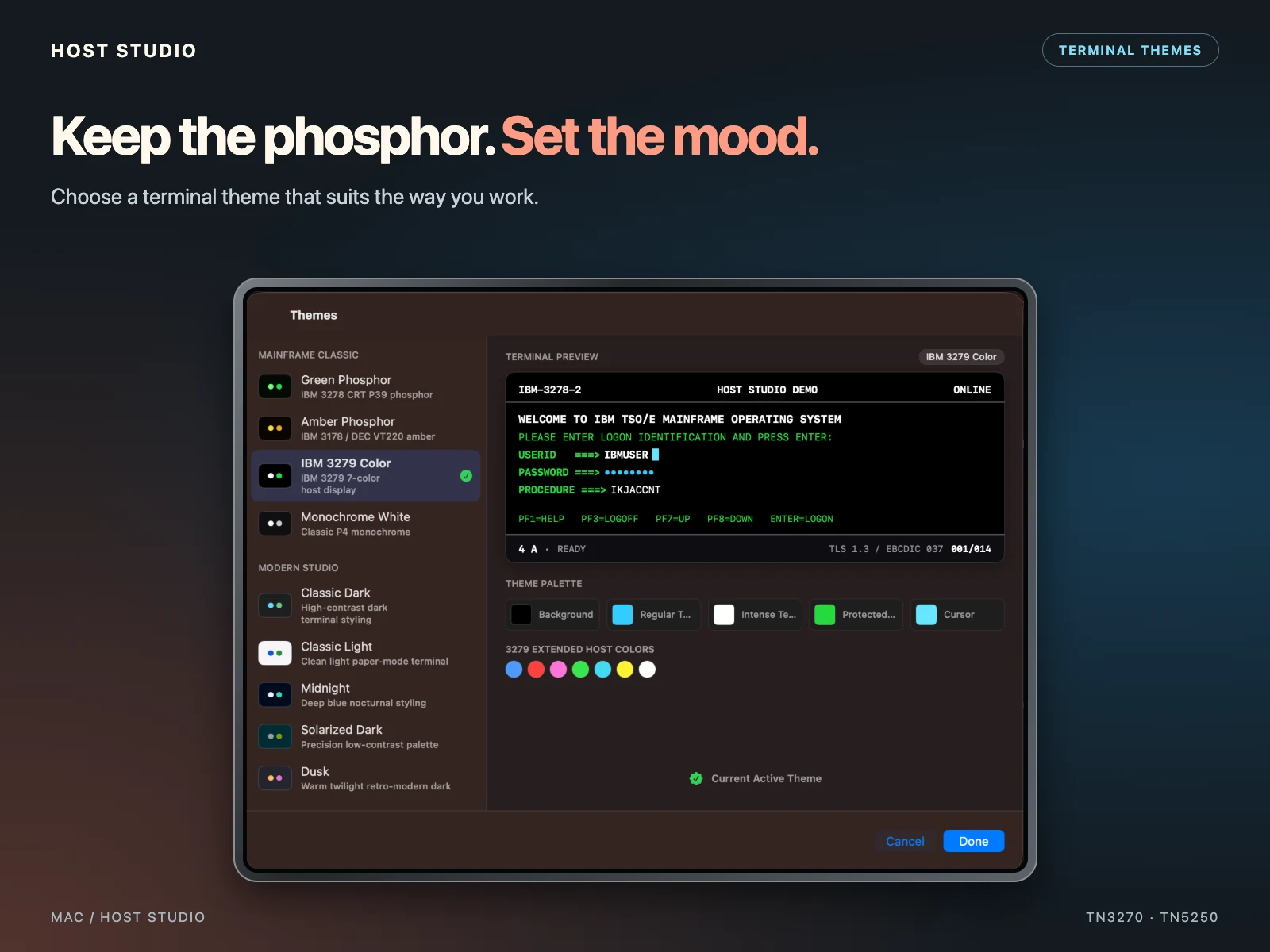
Explore Green Phosphor, Amber Classic, Crisp Paper White, Cyberpunk, and High Contrast themes, with scanlines, OIA status, and 3279 color swatches.
EBCDIC mapping includes CP037, CP273, CP280, CP284, CP285, CP297, CP500, CP870, CP871, CP930 (Japanese), CP1047, and more.
OFFLINE / 3270 + 5250
Built-in, zero-network demos let you explore 3270 and 5250 emulation, native UI conversion, themes, and navigation immediately on launch.
Screenshots show demo sessions. Available host operations depend on your environment; camera and printing features require suitable device capabilities.
Find setup guidance for 3270 and 5250, transfers, printing, and session security.
Host Studio support ↗